
Last checked: November 29, 2026.
In late August 2025, attackers used GitHub tokens stolen in the Nx “s1ngularity” compromise to rename private repositories and switch them to public. Wiz counted at least 480 accounts, two thirds of them organizations, and more than 6,700 private repositories exposed. One organization lost over 700 repositories that way.
Every one of those changes sent GitHub’s repository event with the action publicized to anyone who was listening. In most of those organizations, nothing was listening.
This guide is about listening. It covers the GitHub events worth an alert, the settings to turn on first, and how Jutsu watches GitHub for our customers. It is written for teams on GitHub’s Free and Team plans, which is most startups. On those plans the audit log is a page you have to remember to open, and webhooks are the feed you can act on.

Key takeaways
- The audit log API and audit log streaming need GitHub Enterprise Cloud. On Free and Team, webhooks (or a GitHub App that receives them) are how events reach you as they happen.
- About a dozen events carry most of the risk: a private repository made public, a new organization owner, deleted branch protection, a force push to the default branch, a changed workflow file, a new deploy key, and secret scanning alerts that are raised or dismissed.
- Leaked secrets last. GitGuardian counted 28.65 million new hardcoded secrets in public GitHub commits in 2025, and 64% of the secrets it found valid in 2022 still worked in January 2026.
- Jutsu connects to a GitHub organization through a GitHub App in about five minutes, with 22 built-in GitHub detections and 12 compliance checks. It can’t change your code, settings or members.
Recent attacks all left an event inside GitHub
The supply chain attacks of the past 18 months were noisy inside GitHub, even when they were quiet everywhere else.
Nx “s1ngularity”, August 2025. After the first wave stole developers’ GitHub tokens, a second wave used them to rename private repositories to s1ngularity-repository- plus five random characters and make them public. Each rename and each visibility change is a repository webhook.
GhostAction, September 2025. GitGuardian found a campaign that pushed a workflow named “Github Actions Security” to .github/workflows/github_actions_security.yml, with the commit message “Add Github Actions Security workflow”. The pushes came from the maintainers’ own accounts. The workflow sent each repository’s secrets to an attacker’s server: 3,325 secrets from 817 repositories belonging to 327 users. A push that adds a file under .github/workflows/ is visible in the push webhook, which lists the files each commit added and changed.
Trivy, March 2026. Attackers with stolen credentials force-pushed 76 of 77 version tags in aquasecurity/trivy-action to credential-stealing code. If the payload could not send its loot home, it created a public tpcp-docs repository in the victim’s account and uploaded the data there. Aqua’s advice reads: “Look for repositories named tpcp-docs in your GitHub organization.” A new repository is a repository webhook with the action created.
Seeing any of these took no special product, only something reading the events GitHub already sends.
On Free and Team, the audit log is a page, not a feed
GitHub’s organization audit log lists events from the last 180 days. Every plan can open it in the browser and search it. Getting events out of it automatically is another matter:
- The audit log REST and GraphQL APIs are for organizations on GitHub Enterprise Cloud. GitHub’s pricing page marks the audit log API “Not included” on Free and Team.
- Streaming the audit log to a SIEM or a storage bucket is an enterprise feature. GitHub’s incident response guide says standalone organizations can’t stream the audit logs.
- Git events (clones, fetches, pushes) are not in the web UI at all. The same guide says “GitHub Free and GitHub Team plans can’t view API activity or Git events at all,” and enterprises keep them for 7 days.
GitHub’s own docs point at the alternative: “Webhooks might be a good alternative to the audit log or API polling for certain use cases.” Webhooks work on every plan. An organization webhook or a GitHub App gets repository, member, organization, branch_protection_rule, deploy_key, push, secret_scanning_alert and the rest of the webhook events as each change happens.

Webhooks have two gaps. They are not a history: if your receiver was down, you can ask GitHub to redeliver recent deliveries, but there is no 180-day archive to search later. And some settings have no webhook at all. Turning off the organization’s two-factor requirement shows up in the audit log as org.disable_two_factor_requirement, but the organization webhook only reports members being added, invited or removed, the organization being renamed, and deletion. For settings like that, you read the organization through the API on a schedule and compare.
The GitHub events worth an alert
Most GitHub events are routine: pushes to feature branches, pull requests, stars. These are the ones we would page someone for, with the webhook that carries each one and the audit log action to search for when you investigate.
| What happened | Webhook event | Audit log action | Why it matters |
|---|---|---|---|
| A private repository was made public | repository (publicized) |
repo.access |
The code and every secret in its history are now public. |
| Someone became an organization owner | organization (member_added, member_invited) with the admin role |
org.add_member, org.update_member |
An owner can change every setting, add members and delete repositories. |
| Branch protection or a ruleset was deleted | branch_protection_rule, repository_ruleset (deleted) |
protected_branch.destroy, repository_ruleset.destroy |
Unreviewed code can now reach the branch you ship from. |
| A force push to the default branch | push with forced: true |
Git events: Enterprise Cloud only | History was rewritten. Attackers use it to hide a commit or move a tag. |
| A workflow file changed on the default branch | push touching .github/workflows/ |
Git events: Enterprise Cloud only | Workflows can read your repository secrets. GhostAction worked this way. |
| A deploy key was added | deploy_key (created) |
public_key.create |
A key that can read, and maybe write, one repository without a user behind it. |
| A collaborator got write or admin access | member (added, edited) |
repo.add_member, repo.update_member |
Access grows quietly, one repository at a time. |
| Secret scanning found a credential | secret_scanning_alert (created, validated, publicly_leaked) |
none needed | A working key in code. Rotate it first. |
| A secret scanning alert was dismissed | secret_scanning_alert (resolved) |
secret_scanning_push_protection.bypass for bypassed blocks |
Closing the alert revokes nothing. |
| A security feature was turned off | security_and_analysis |
repository_secret_scanning_push_protection.disable |
With scanning off, the next leak raises no alert at all. |
| A fine-grained token asked for access | personal_access_token_request (created, approved) |
personal_access_token.request_created |
A new long-lived credential into your organization. |
| The two-factor requirement was turned off | none: read the organization through the API | org.disable_two_factor_requirement |
Every member’s account is one stolen password away again. |
Force pushes and workflow changes are normal on feature branches, so alert only on the default and release branches, or people learn to ignore the alert. And alert on a secret scanning alert dismissed as “false positive” or “won’t fix”: that is how a real credential gets closed without being rotated.
Turn these settings on first
Monitoring tells you when something changed. These settings make the dangerous changes rarer, and most are free on every plan.
- Require two-factor authentication for everyone in the organization. GitHub’s pricing page lists required 2FA on Free, Team and Enterprise.
- Set the base permission to Read or No permission. Members then get write access per team or per repository, not everywhere by default.
- Tighten personal access tokens. In the organization’s token policy, choose “Restrict access via personal access tokens” for classic tokens, keep “Require administrator approval” for fine-grained tokens, and use “Set maximum lifetimes for personal access tokens”. GitHub’s docs say tokens with non-compliant lifetimes “will be blocked from accessing your organization.”
- Turn on secret scanning and push protection. On public repositories, secret scanning runs automatically for free. On private repositories it needs GitHub Secret Protection, which costs $19 per active committer per month as of November 29, 2026 and is sold to Team and Enterprise organizations.
- Turn on Dependabot alerts and security updates. They are included on every plan.
- Protect the default branch. Require a pull request with at least one review and block force pushes, with branch protection or a ruleset. On private repositories, that needs Team or Enterprise.
- Harden GitHub Actions. Since August 2025 the allowed-actions policy can require every action to be pinned to a full commit SHA, and “any workflow that attempts to use an action that isn’t pinned will fail.” Few teams do it yet: Datadog’s State of DevSecOps 2026 found that 71% of organizations never pin the hash for any of their actions. Pinning is what protected teams during the tj-actions/changed-files compromise in March 2025, when the attacker moved the action’s version tags to a malicious commit that printed secrets into build logs. GitHub’s advisory says it hit over 23,000 repositories. Also set the default
GITHUB_TOKENpermission to read-only.
Leaked secrets stay valid for years
Leaked credentials deserve their own playbook, and the numbers show why. GitGuardian’s State of Secrets Sprawl 2026 counted 28.65 million new hardcoded secrets added to public GitHub commits in 2025, up 34% in a year. When it retested the secrets it had found valid in 2022, more than 64% still worked in January 2026. Private code is worse: GitGuardian found internal repositories about six times as likely as public ones to contain hardcoded secrets.

Fixing them is slow too. Verizon’s 2025 Data Breach Investigations Report put the median time to remediate a secret leaked in a GitHub repository at 94 days.
When one leaks, the order matters:
- Rotate or revoke it at the provider that issued it, before you confirm the finding. A false positive costs a rotation.
- Then close the GitHub alert. Closing it revokes nothing.
- Find where it lives. A rotated secret left in history is a dead value. If you can’t rotate it, follow GitHub’s guide to removing sensitive data.
- Check whether it was used in the provider’s own logs since the push.
- Turn on push protection so the next one is blocked at
git push.
How Jutsu watches GitHub for our customers
You can build all of this by hand: a webhook receiver, a set of rules, a scheduled job that reads the organization’s settings, and someone to answer the alerts. Most of our customers would rather not maintain that, so Jutsu does it for them. Here is what it does, and where it stops.
Connect in about five minutes, with no write access to your code
An owner of the GitHub organization installs the Jutsu App from the Integrations page and picks which repositories Jutsu monitors. The setup guide walks through it in seven steps. There are no tokens to create, copy or rotate, and uninstalling the App on GitHub cuts access.

The App reads your code, settings and members, and can’t change any of them. Its one write permission lets it post its own check result on pull requests, for the code check described below. Webhooks from repositories you didn’t select are dropped. On the Free plan you get 5 monitored assets: the organization takes one and each repository takes one.
22 built-in GitHub detections, plus the settings that have no webhook
Jutsu ships 22 GitHub rules, each mapped to MITRE ATT&CK, and they cover every row of the table above. Four are critical: an organization owner role granted, a private repository made public, secret scanning finding a live credential, and a push that adds a file named like a credential file, such as .env. For the settings that have no webhook, Jutsu reads the organization’s members, owners, outside collaborators and two-factor status every six hours and alerts when the organization stops requiring 2FA, the base repository permission goes up, or a member weakens their 2FA.

Every alert asks one question
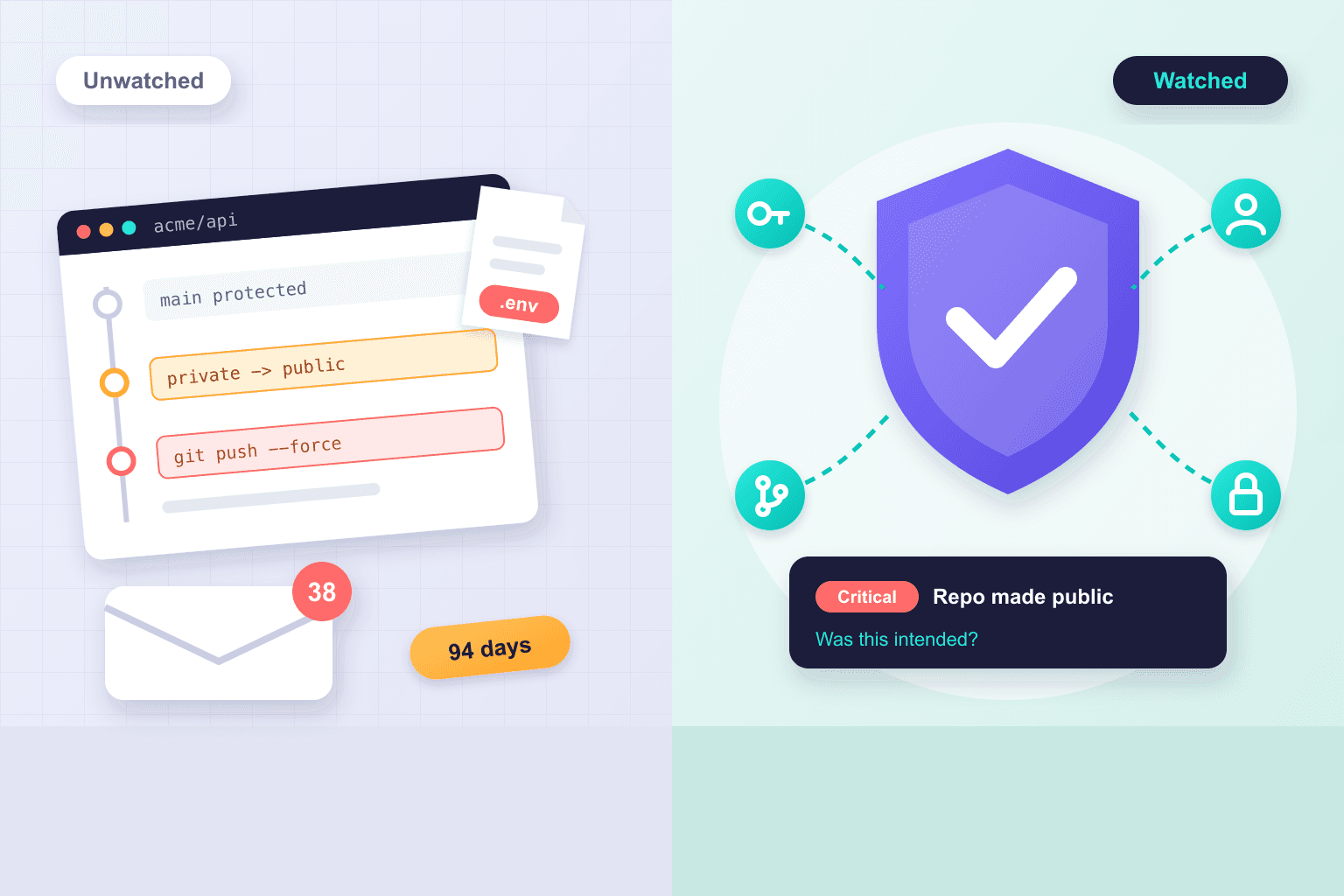
Most GitHub alerts are legitimate changes made by the right person. So Jutsu asks the person who can answer: “Was this intended?” It also checks what else the same account did. In the alert below, the account that made dispatch-web public had force-pushed to a default branch 61 seconds earlier, and Jutsu put that in the summary. Related alerts on the same user, asset or IP are grouped into one incident.

A leaked-credential checklist, written from the alert’s facts
For leaked secrets, speed beats analysis, so Jutsu does not hand these alerts to its AI investigator. The alert shows a checklist built from GitHub’s own finding (the credential type, the repository, when it was first seen), in the same order as the list above.

Jutsu does not test the credential itself. It shows what GitHub’s validity check reported (active, inactive or unknown) and whether GitHub saw it leaked publicly.
SOC 2 and ISO 27001 evidence from the same connection
The same App feeds 12 compliance checks on paid plans: default branch protected, reviews required, secret scanning on, push protection on, Dependabot security updates on, repositories not public, the organization requiring 2FA, members and owners using 2FA, a bounded number of owners, and no admin access for outside collaborators. They map to SOC 2 controls CC6.1, CC6.3, CC8.1 and CC5.1 and to ISO 27001 Annex A controls, and each result is dated by when GitHub was last read. If you are working toward an audit, our page on SOC 2 continuous monitoring explains how these checks differ from the monitoring auditors ask about.
A security check on pull requests
On the Startup plan and up, you can add a small workflow file that runs Gitleaks and OSV-Scanner on each pull request and push. It looks at the commits under review, not the whole history, and encrypts the results before they leave the runner. Jutsu posts the result as a “Jutsu Security” check with notes on the changed lines. In Observe mode the check never fails. In Block mode it fails on a blocking finding, such as a newly committed secret, and it stops the merge only if you make the check required in branch protection.
What it doesn’t do yet
- It does not read the organization audit log. It works from webhooks and from reading the organization through GitHub’s API, so it runs the same on Free, Team and Enterprise.
- It has no one-click GitHub response actions. You rotate the credential and change the setting yourself, with the alert’s checklist. (For AWS and some other providers, Jutsu can run fixes on your approval.)
- Two-factor and base permission changes are found by the six-hour read, not the moment they happen.
- It supports organizations and personal accounts on github.com. GitHub Enterprise Server isn’t supported.
The GitHub integration page lists what Jutsu watches. If AWS is next on your list, our guide on monitoring AWS security without a SOC team covers it the same way. You can connect GitHub on the Free plan and see what your organization has been saying.
The bottom line
The 2025 and 2026 GitHub attacks were not subtle. They renamed repositories, made them public, pushed new workflows and created repositories with names you could search for. On Free and Team you will not get those events from the audit log API, but webhooks deliver every one of them. The missing piece is something that reads them and someone who answers. An event nobody reads is the same as no event at all.
FAQ
Can I get GitHub audit log alerts without Enterprise Cloud?
Not from the audit log itself. The audit log API and streaming need GitHub Enterprise Cloud, and standalone organizations can’t stream. On Free and Team, use an organization webhook or a GitHub App to receive events as they happen, and read settings that have no webhook, such as the two-factor requirement, through the API on a schedule.
How long does GitHub keep the audit log?
The organization audit log lists events from the last 180 days, and the web UI shows the last three months by default. Git events such as clones and pushes are kept for 7 days and are only available to enterprises, through the API, streaming or exports.
Is GitHub secret scanning free?
For public repositories, yes: it runs automatically. For private and internal repositories owned by an organization, you need GitHub Secret Protection, which costs $19 per active committer per month as of November 29, 2026 and is available on the Team and Enterprise plans.
What should I do if a secret is pushed to GitHub?
Rotate or revoke it at the provider first, before anything else. Then close the GitHub alert, find whether the secret is in current files or only in history, check the provider’s logs for use since the push, and turn on push protection. Deleting the file or rewriting history does not make the credential safe; rotating it does.
Does Jutsu need write access to my GitHub organization?
No. The Jutsu App reads code, settings and members and can’t change them. Its only write permission is posting its own “Jutsu Security” check result on pull requests. You choose which repositories it monitors, and uninstalling the App on GitHub removes its access.