Highlights
New features
- Wazuh integration: alerts, 16 detection rules, your agents as machines, host vulnerabilities, nine compliance checks and response actions, from one connection.
- Microsoft 365 audit logs and 25 new detections: Exchange Online, SharePoint and OneDrive, Teams and audit-log sign-ins, beside the Entra logs.
- Portal links and reminders: a personal portal link for each person, reminders when you want them, and a weekly reminder on Mondays.
- A new training certificate, with your organization's logo.
- AWS S3 deletion alerts: two new high-severity rules, AWS S3 bucket deleted and Many AWS S3 objects deleted (100 or more deletes in one bucket within an hour). Their fix steps cover getting objects back from earlier versions and keeping a deleted bucket's name from being taken.
Improvements
- The console and the portal agree: one rule for what is done, pages that keep themselves up to date, and a tag for people who cannot get in.
- A faster console: about a quarter less code before the first screen, and asset lists that send far less data.
- Evidence approvals are easier to follow. Each evidence task shows its owner and its approver. A task whose problem has cleared is tagged Ready to send for approval, and the list counts them; click the count to see only those.
- Every AWS CloudTrail rule reads events by when they reach Jutsu, so an event CloudTrail delivers several minutes late is still checked.
- The Jutsu MCP server answers a link from another organization with the setup link for that organization's MCP connection.
- Sign-up is clearer. Required fields are marked, company size takes digits only, region choices show their flags on Windows too, and a workspace ID that is already taken shows once, in its own field, where you can type a new one.
Bug fixes
- The employee portal always has a way back to the console for people who manage a workspace. Back to the console sits in the header, on the all-done page and on the training's You passed step, and it works after you signed in to the portal with an emailed code too. People without console access are told they can close the page.
- Sign in again on a portal page reaches the password sign-in for a workspace you manage, instead of the emailed-code sign-in.
- A portal link opened while signed in to an account outside that organization says so and offers to sign in with another account, instead of loading without end.
- Portal errors say what went wrong. Signed in to the wrong organization offers Sign in again, and other errors show a code and a time you can send to support.
- Evidence that was sent for approval automatically shows the Approve and Send back buttons.
- AWS CloudTrail rules run on schedule again, after a change on November 16 made some of them run late or time out on busy AWS accounts for a few hours.
- The Wazuh connect dialog's step header shows the current step's name beside its number, so the seven steps no longer run into each other.
- Security fixes in Connect Wazuh and in the asset lists.
Docs
- New Wazuh integration guide, with a walkthrough video: create the two read-only users, connect them in Jutsu, check each certificate, and optionally set up response actions.
Wazuh integration
Connect a Wazuh manager and its indexer under Integrations, Data Sources. The connect dialog gives you scripts that create read-only users for Jutsu, and it does not ask which version you run: the same commands work on Wazuh 4.8 to 4.14 and 5.0, and Jutsu reads your version when it tests the connection. The read-only user keeps working after you upgrade from 4.x to 5.0.
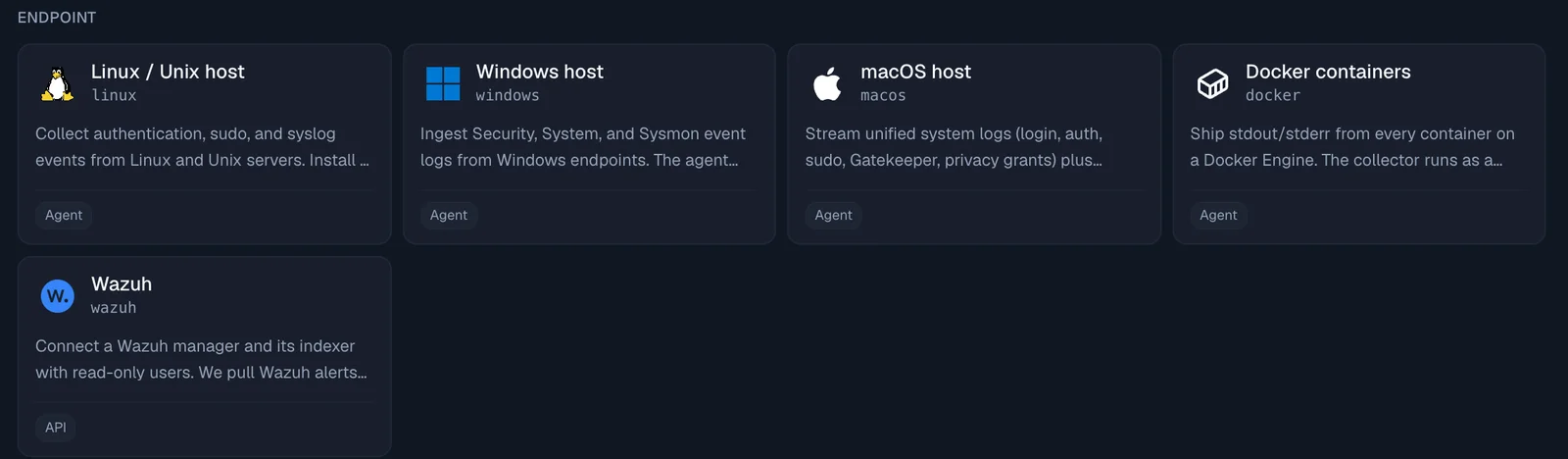
Once connected, Jutsu:
- pulls Wazuh alerts into your events and checks them with 16 Wazuh detection rules;
- lists your Wazuh agents as machines, and their local accounts on the connection's People tab;
- shows each host's vulnerabilities and failed configuration checks;
- runs nine compliance checks that feed your compliance tasks;
- can act on a compromised host or account once you add a response credential: block an IP, disable an account, isolate a host, restart the agent, or rescan for vulnerabilities.
Support for Wazuh 5.0 is a release candidate. On 5.0, blocking an IP, disabling an account and isolating a host are not available yet.
The Wazuh integration guide walks through the setup, with a video at the top.
Microsoft 365 audit logs and 25 new detections
The Microsoft 365 connection collected the Entra sign-in and directory logs. It now also collects the Microsoft 365 audit log: Exchange Online, SharePoint and OneDrive, Teams and other apps, and the sign-ins recorded there.
When you connect, choose which logs to collect; you can change the choice later on the connection page. Each log shows whether it is collecting, starting, or needs something first: an Entra ID P1 or P2 license, a permission, or auditing turned on in Microsoft Purview. A log your Microsoft plan does not include is checked again every hour, and the others keep collecting. Microsoft can take up to 12 hours to send the first audit log records.
25 new detection rules read these logs, among them:
- inbox rules that forward or hide mail, mailbox forwarding and mailbox permission grants;
- files shared outside your organization, and malware found in SharePoint;
- MFA turned off for a user, temporary access passes and domain federation changes;
- consent and permissions granted to apps, and audit logging turned off.
Portal links and reminders
Getting people to finish their policies and training takes less chasing.
- A personal portal link. Under Compliance, People, open a person and choose Copy portal link. It suits people who never sign in to the console. Opening the link sends a six-digit code to the person's own email, and the link alone never signs anyone in.
- Reminders. On a person's page, Send reminder emails them what they still have to do, and Remind everyone with something to do on the People list covers everyone at once. A weekly reminder goes out on Mondays from 09:00 in your organization's time zone. Turn it off under Compliance, Settings, Weekly portal reminders.
- Invitees are included. People you invited who have not joined yet get policy signing requests, with their personal link.
- What each person still has to do. A card on each person's page lists every open item, and matches what the person sees in their portal.
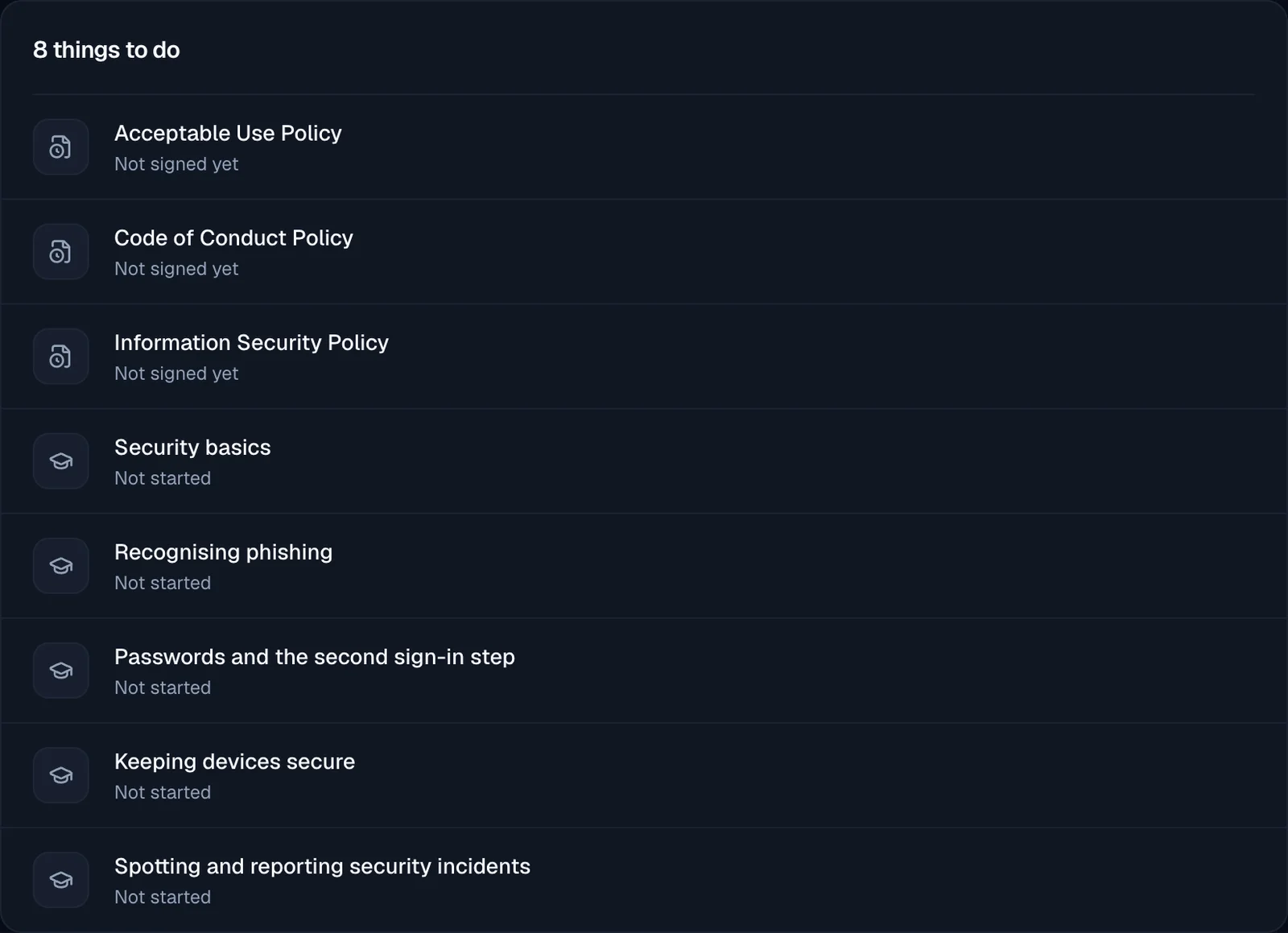
Your own open items show in the console too. The tasks bar counts every open portal item (policies, training, HIPAA and computer checks) and has an Open your portal button, and the user menu has a My compliance tasks item with the same count.
The console and the portal agree
Under Compliance, People, a person's training, policies and computer check now count as done by the same rule the employee portal uses. Training someone finished in the portal no longer shows as still owed.
- Pages that keep themselves up to date. The People list, a person's page, the Policies list and a policy's page read again every 30 seconds while you look at them, and at once when you come back to the tab or when the portal in another tab saves something for the same organization. A completion shows up without a reload.
- See who cannot get in. On the People list, a person with no way into the employee portal is tagged No way in, with the reason, for example that their account was deleted or their invitation ran out. A reminder to them is not sent, and Jutsu tells you why.
- Your own page says why you cannot complete your items there, when that is the case: for example, your access to the workspace is switched off, or you need to set up your second sign-in step first.
- The portal stays on its organization. If you belong to more than one organization and switch in another tab, an open portal page keeps its own organization and says so, and nothing you submit after the switch is saved to the wrong one. Two of your organizations with the same name are told apart by their workspace ID.
A new training certificate
Certificates for finished portal training have a new design. Each one names the person, the module and its version, the completion date and the knowledge check score, and shows your organization's logo when your workspace has one.
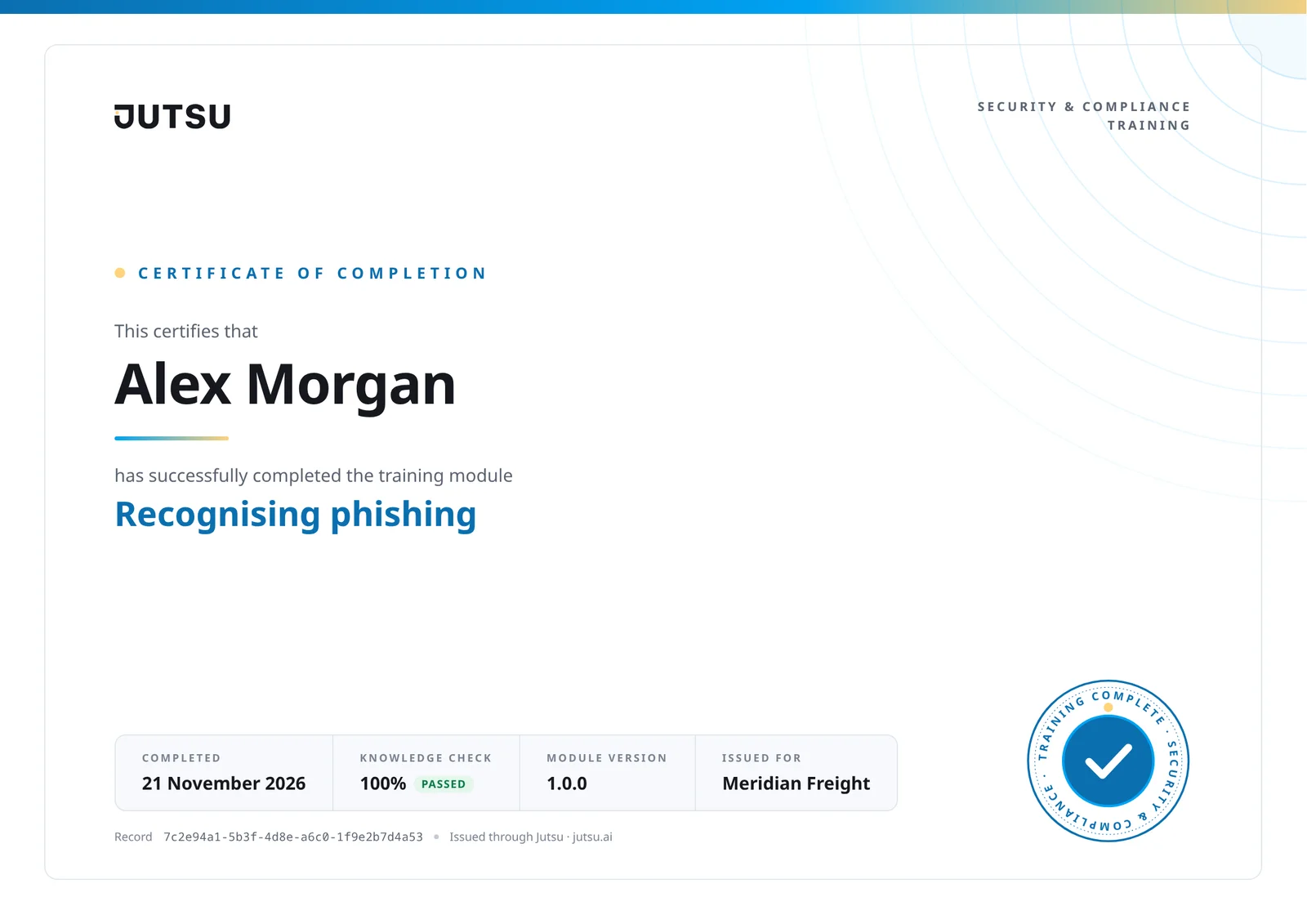
Certificates people had already earned were printed again in the new design. No email was sent for them.
A faster console
- Less to load before the first screen. The console fetches about a quarter less code before the first screen appears (422 KB down to 323 KB, compressed), and the Jutsu AI assistant loads when you first open it instead of on every page.
- Compliance loads only the area you open. Opening Compliance used to download every area at once.
- Lighter asset lists. The Assets and Connections lists send much less data. For API monitors, the list no longer includes the full API description file, which the monitor's own page still shows. In a local test with 36 assets, the list went from 2.5 MB to 48 KB.
- Sooner AI summaries. On an alert's page, the AI summary starts loading as soon as the page opens, instead of after the alert itself has loaded.
- A quieter idle tab. After two minutes with no input, a tab's lists refresh once a minute instead of every 15 seconds. Any click, key press or scroll brings back the normal pace, and switching back to the tab still refreshes it.
The world map on the dashboard also loads only when you scroll to it, and only when there are countries to show.