
Last updated: October 19, 2026. We make Jutsu, so we have a stake in this comparison. Blumira facts come from Blumira’s own pages, linked inline and listed at the end.
Jutsu and Blumira both help small teams find and stop security threats without hiring a full security team.
Blumira sells a SIEM and XDR platform to small and mid-size IT teams. It also sells to the managed service providers (MSPs) that support them.
Jutsu is a security operations platform for startups that run on cloud and developer tools. Its paid plans also include SOC 2, ISO 27001 and other compliance readiness.
If you are weighing Blumira alternatives for a startup, this guide compares features, pricing, and fit.
Start Free with Jutsu (no credit card) or Book a Demo.

What’s the Difference Between Jutsu and Blumira?
Jutsu and Blumira both collect security logs, flag attacks, and help you respond.
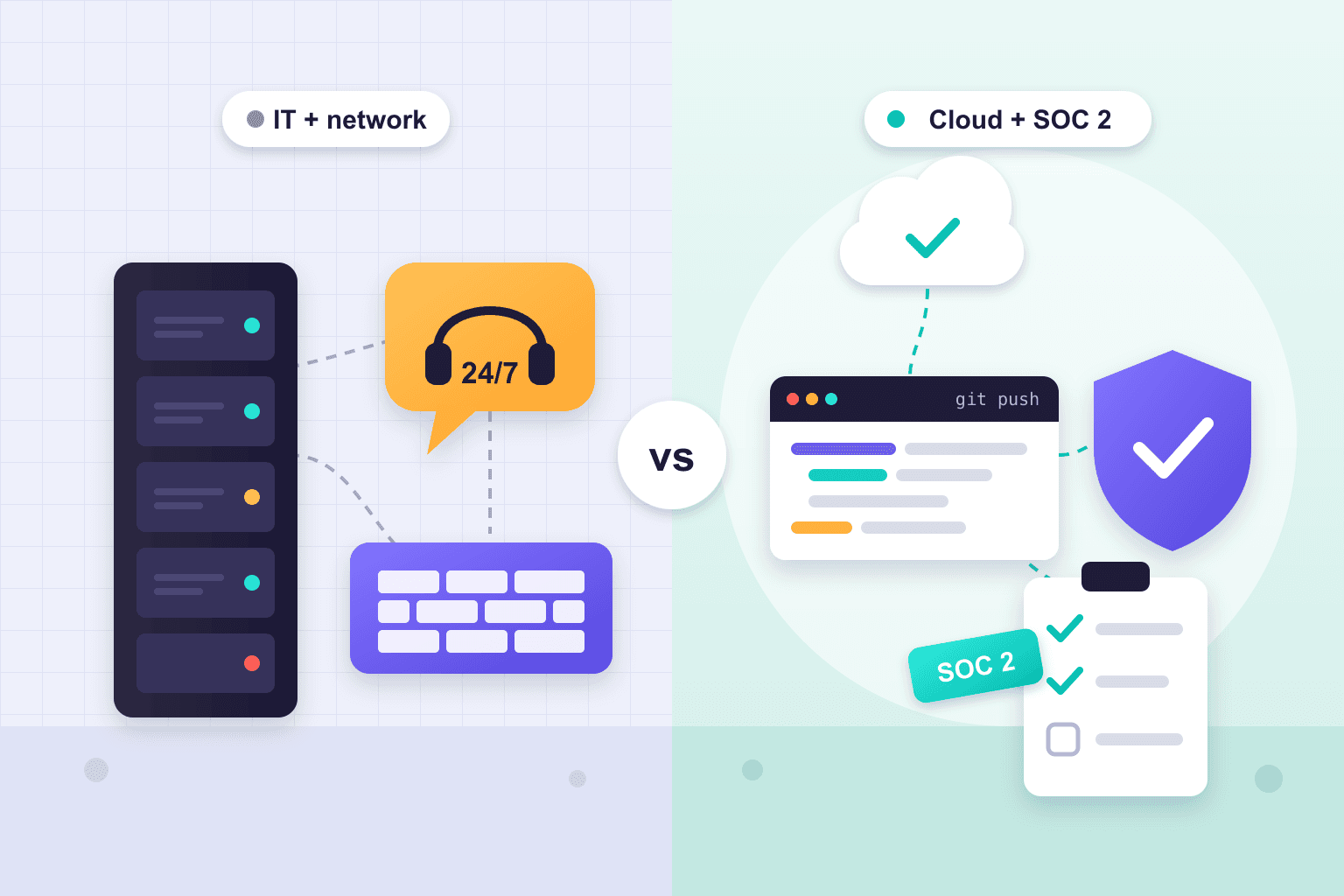
The difference is who each one is built for. Blumira is a cloud SIEM and XDR platform for companies with 50 to 2,000 employees. It connects to Microsoft 365, office firewalls, and on-site servers, and it offers people on call.
Jutsu is built for startups that run on AWS, Google Cloud, GitHub, and similar tools. It pairs threat detection with SOC 2, ISO 27001 and other complience.
Choose Blumira for broad Microsoft and network coverage. Choose Jutsu to watch a cloud stack and prepare for an audit in one place.
Key terms:
A SIEM (security information and event management) tool collects logs and flags signs of an attack.
XDR (extended detection and response) adds detection and response on laptops, accounts, and networks.
Jutsu vs Blumira at a glance
| Jutsu | Blumira | |
|---|---|---|
| Best for | Startups on cloud and AI Agent platforms, often preparing for SOC 2, ISO 27001 and other complience | Small and mid-size IT teams, and MSPs |
| Core product | AI-native security operations: log collection, detection, AI triage, response, and compliance | Cloud SIEM and XDR with automated response |
| Compliance | SOC 2, ISO 27001, and other frameworks: policies, evidence tasks, and a readiness score | 1-year log retention and ready-made compliance reports |
| Human help | AI agents work alerts 24/7 and send unclear cases to your team. Email or priority support. | Support from 9am to 8pm ET. 24/7 incident support on Respond and Automate. Optional MDR add-on. |
| Pricing model | Per plan: Free $0, Startup $149/month, Growth $499/month, Enterprise custom | Per employee: $12, $16, or $21 a month, on a yearly contract |
| Try it | Free plan, no credit card | 30-day trial of Automate, no credit card |
Jutsu vs Blumira: Feature Comparison
We compared both products on the jobs a small security team does every week. “Not listed” means we did not find it in the vendor’s public materials. It does not prove the feature is missing.
Detection and response
| Capability | Jutsu | Blumira |
|---|---|---|
| Log collection and threat detection (SIEM) | Yes. Collects, normalizes, stores, and searches events, then runs detections. | Yes. Cloud SIEM with unlimited data intake on every edition. |
| Supported sources | 12 documented sources: AWS CloudTrail, Google Cloud, Google Workspace, GitHub, Cloudflare, Vercel, Railway, Docker, Windows, macOS, Linux, and webhooks or syslog. Wazuh alerts too. | 110 integrations listed, including Microsoft 365, Entra ID, AWS, Google Cloud, Google Workspace, Okta, Duo, firewalls, and EDR tools. |
| Microsoft 365 and Entra ID logs | No. | Yes. |
| Firewalls and on-site devices | Through generic syslog or webhooks. No firewall-specific connectors listed. | Yes. 17 firewall integrations. Syslog sources need an on-site sensor VM. |
| Startup platforms (Vercel, Railway, Cloudflare, Docker) | Native connectors with setup guides. | Not on the integrations list. Blumira’s HTTP Ingest can accept logs from other tools. |
| Endpoint agent | Windows, macOS, and Linux agents that collect logs and posture data. | Blumira Agent for Windows, macOS, and Linux, included on Respond and Automate. Blumira says it does not replace a dedicated EDR. |
| AI investigation | AI agents enrich, score, and give a verdict on every alert, then group alerts into incidents. Limited on Free. | Kindling AI triage for all tiers. SOC Auto-Focus summaries on Automate, capped at 10 a month plus 1 per 5 employees. |
| Response actions | Block IPs and isolate hosts on AWS, Google Cloud, and Azure. Disable users on Google Workspace and Microsoft 365. Actions can be reverted. | Isolate hosts and stop processes through the Blumira Agent. Lock out Microsoft 365, Entra ID, and AD users. Push firewall blocklists. Actions cannot be undone from Blumira. |
| Automated response | Approval-based on Startup. Policy-guided automation on Growth. | Automated host isolation and blocklists on Automate. Isolation is off by default. |
| Custom detections | 30 custom rules on Startup, 100 on Growth. | By request to Blumira’s detection engineers on Respond and Automate. No ad hoc query rules, per its cloud SIEM FAQ. |
| Vulnerability management | Partial. GitHub Dependabot and code scanning alerts, daily cloud configuration checks on compliance plans, and the Exposure external scan, which may be priced separately. | Not built in, per its cloud SIEM FAQ. Respond and Automate include a periodic external threat surface assessment. |
Compliance, support, and setup
| Capability | Jutsu | Blumira |
|---|---|---|
| SOC 2 and ISO 27001 readiness | Paid plans include a compliance module: policy drafts, recurring evidence tasks, risk and vendor reviews, a readiness score, and auditor access. | Pre-built compliance reports for monitoring controls. No policy or control-tracking workflow listed. Discounted compliance services from partner Trava. |
| Log retention | 1 year total (90 days searchable) on Startup and Growth. 30 days on Free. | 1 year on every edition. Longer storage options on Respond and Automate. |
| Human security help | No Jutsu-staffed analyst service listed. Support is community, email, priority, or dedicated with an SLA, by plan. | Support from 9am to 8pm ET. 24/7 incident support on Respond and Automate. Blumira Managed MDR add-on. |
| Setup | Setup guides list about 2 to 10 minutes per cloud connection. No on-site hardware needed. | Blumira says it can deploy in as little as 30 minutes. A sensor VM for syslog sources. Required onboarding fee on Detect and Respond. |
| MSP and multi-tenant | Multi-tenant MSSP operations on Enterprise. | MSP program with a partner portal. Sold through the Pax8 marketplace. |
| Contract | Monthly or yearly billing. | Yearly contract. Multi-year options. |
The four differences that matter most
- Where your systems live. Blumira lists 110 integrations, with deep Microsoft, firewall, and endpoint coverage. Jutsu has fewer connectors. They focus on the cloud and developer platforms that startups use.
- Proof for audits. Blumira keeps logs for a year and offers ready-made compliance reports. Jutsu adds the readiness work itself: policies, recurring evidence tasks, and a score that tracks progress.
- Who helps at 2 a.m. Blumira offers 24/7 human incident support on its two higher editions. It also sells a managed detection and response (MDR) team. Jutsu’s AI agents work alerts around the clock, but unclear cases go to your own team.
- How you pay. Blumira charges per employee on a yearly contract. Jutsu charges a flat price per plan, with limits on assets and data. It also has a free plan.
What Makes Jutsu Different?
Security work and Compliance work in one place
Security work often starts when a customer asks for a SOC 2 report. Compliance is an audit report that shows how a company protects customer data. In Jutsu, the console that watches for threats also runs your compliance program. Setup drafts your policies, creates recurring evidence tasks, and tracks a readiness score.
Controls are shared across frameworks. For example, the control “MFA enforced for all users” counts toward both SOC 2 and ISO 27001. Blumira supports the monitoring side of SOC 2 with log retention and reports. For policy and control work, its pricing page offers a discount on its partner Trava’s compliance services. So a Blumira customer may need a separate compliance tool or service. Our page on SOC 2 for startups explains what an auditor asks for.
Built for cloud and developer platforms
Jutsu connects to the tools a modern startup runs on. These include AWS CloudTrail, Google Cloud, Google Workspace, GitHub, Cloudflare, Vercel, Railway, and Docker. Most setup guides list 2 to 10 minutes per connection, with no on-site hardware.
This matters because a startup’s risk often sits in these tools. A secret pushed to GitHub or a shell session inside a production container is a real warning sign. Jutsu’s Railway connection records shell access into running containers and secret changes. Jutsu’s GitHub app works with standard github.com organizations. Blumira’s GitHub setup guide uses GitHub Enterprise audit log streaming. For what to watch first, see our guide to cybersecurity for startups.
Response you approve, and can undo
An automatic action can break things if it fires on the wrong target. On Jutsu’s Startup plan, a person approves each response before it runs. On Growth, actions your policies allow can run on their own. Jutsu can block an IP, isolate a cloud host, or disable a user.
Before each action, Jutsu saves the state it changes, such as a host’s original AWS security groups. That lets you revert the action. Blumira’s response covers endpoints, identities, and firewalls, which is broader in some areas. But its support guide warns that actions cannot be undone from Blumira. An admin must reverse them in the other system.
A free plan and prices you can read
Jutsu has a free plan with no credit card. It covers 5 assets, one data source, and 50 AI investigations a month. That is enough to test it on real alerts. Paid plans list their prices and can be billed monthly.
Blumira also publishes its prices. But it bills yearly, and it no longer lists a free edition. Its pricing page showed a Free SIEM with 14 days of retention in August 2025. Today it offers a 30-day trial of its top edition instead.
When Should a Startup Choose Jutsu?
These are example scenarios, not customer stories. They show where each product tends to fit.
Example 1: A 20-person SaaS startup facing its first SOC 2 request
The problem: A large customer wants a SOC 2 report before it signs. The team runs on AWS, Google Workspace, GitHub, and Vercel. Nobody on staff works in security full time.
How Jutsu could help: The team connects its cloud, identity, and code accounts. AI agents triage alerts, and the CTO approves any response. The compliance module drafts policies and sets up evidence tasks. Daily checks on connected systems keep those tasks current.
Expected value: One tool covers both monitoring and audit prep. The Startup plan lists at $149 a month. It fits if the setup stays within 25 assets and 0.75 GB of data a day.
When Blumira may fit better: The team already uses a compliance tool. It mainly wants unlimited log intake and human help during incidents.
Example 2: A fintech startup that needs fast containment
The problem: The product runs on Google Cloud. A stolen credential could reach payment systems. The team wants round-the-clock watching and a fast way to contain an attack.
How Jutsu could help: Jutsu streams Google Cloud audit logs, such as changes to who has access and API calls. When an attacker’s IP is confirmed, an analyst can block it at the cloud network firewall from Jutsu. The action has an approval step and an undo. Reports record each incident.
Expected value: Containment happens in the cloud, where the risk lives. The team also gets a record to show auditors and partners.
When Blumira may fit better: The company runs Microsoft 365 and office firewalls, or it wants human analysts on call. Blumira Managed is available to direct Automate customers with 50 or more users.
Example 3: An AI startup with containers and Mac laptops
The problem: The startup serves models from containers on Railway and Docker hosts. Engineers use MacBooks that can reach production.
How Jutsu could help: The Railway connection tracks shell access into containers and secret changes. The Docker collector ships container logs. The macOS agent records the system audit trail and command-line activity.
Expected value: The team sees the places an attacker would go after stealing a laptop or a token. One note: Jutsu does not monitor AI agents themselves today. AI agent runtime security is on its roadmap.
When Blumira may fit better: The startup needs firewall blocklists, decoy “honeypot” devices, or many EDR (endpoint detection and response) integrations.
How Does Jutsu Work?
Every event in the Jutsu platform runs through the same pipeline. Here are the steps, in order.
- Connect your systems. Add a cloud account, identity provider, code host, or server. Most take 2 to 10 minutes.
- Collect and normalize. Jutsu puts every event into one format, so events from different tools can be compared.
- Enrich. AI agents check IPs, domains, and file hashes against nine threat intelligence feeds, such as VirusTotal and AbuseIPDB.
- Triage. Each alert gets a risk score from 0 to 100, a verdict, and a MITRE ATT&CK mapping. MITRE ATT&CK is a public list of attacker techniques.
- Correlate. Related alerts are grouped into one incident. For example, 50 alerts from one attack can show up as one problem.
- Respond or escalate. Unclear cases go to a person on your team. Confirmed threats get a response, under your approval or policy.
- Report and prove. Jutsu writes incident and activity reports. On paid plans, these records and daily system checks feed your compliance evidence.

Jutsu vs Blumira: Pricing
Both companies publish list prices, but they count different things. Blumira charges per employee. Jutsu charges per plan, and each plan has limits on assets, data, and AI investigations. Prices below are as of October 19, 2026.
| Plan | List price | What you get |
|---|---|---|
| Jutsu Free | $0 | 5 assets, 0.05 GB of data a day, 30-day retention, 50 AI investigations a month, 1 data source. No compliance module. |
| Jutsu Startup | $149 a month, or $1,490 a year | 25 assets, 0.75 GB a day, 1-year retention, 1,000 AI investigations a month, approval-based response, SOC 2 and ISO evidence. |
| Jutsu Growth | $499 a month, or $4,990 a year | 100 assets, 2 GB a day, 5,000 AI investigations a month, policy-guided automation, API and webhooks. |
| Jutsu Enterprise | Custom quote | Custom capacity, multi-client operations for security providers (MSSPs), a service-level agreement (SLA), and private deployment options. |
| Blumira Detect | $12 per employee a month | Unlimited data, 1-year retention, endpoint detections through the sensor, compliance reports. Onboarding fee required. |
| Blumira Respond | $16 per employee a month | Adds 1 Blumira Agent per employee, manual response actions, honeypots, and 24/7 incident support. Onboarding fee required. |
| Blumira Automate | $21 per employee a month | Adds automated isolation and blocklists, SOC Auto-Focus AI, and an API. Onboarding included. |
Sources: Jutsu pricing and Blumira pricing.

Here is a simple example. A 30-person company would pay Blumira $360, $480, or $630 a month at list price, billed yearly. Jutsu’s Startup plan lists at $149 a month and Growth at $499. But Jutsu’s price depends on assets and data, not headcount. For example, a GitHub organization uses one asset slot, and each monitored repository uses one more. Blumira’s data intake is unlimited on every edition.
Costs beyond the list price
- Onboarding: Blumira requires a one-time onboarding fee on Detect and Respond. Its pricing page shows both $250 and $500 in different places. Jutsu does not list an onboarding fee.
- Extra agents: Blumira charges $3 per agent a month beyond the agents it includes.
- Human monitoring: Blumira Managed is a per-user add-on with no published price. Jutsu does not list a human analyst service.
- Compliance: Jutsu’s paid plans include the compliance module. A Blumira customer preparing for SOC 2 may need a separate tool or service.
- Endpoint protection: Jutsu’s host agents collect logs. Blumira says its own agent does not replace an EDR tool. Plan to keep an EDR product with either one.
- Your team’s time: Jutsu asks your team to approve actions and handle escalations. Budget time for that.
Should You Choose Jutsu or Blumira?
Choose Jutsu if…
- Your product runs on AWS, Google Cloud, Vercel, Railway, Cloudflare, or Docker, and your team uses Google Workspace and GitHub.
- A customer asked for SOC 2 or ISO 27001, and you want monitoring and audit prep in one tool.
- You want to start on a free plan or pay month to month.
- You want AI to work every alert, with a person on your team approving each response.
Choose Blumira if…
- Your company runs on Microsoft 365, Entra ID, or Active Directory.
- You have office firewalls, on-site servers, or many security tools to connect.
- You want people on call, through 24/7 incident support or a managed MDR team.
- You want unlimited log intake and one year of retention at every tier.
- You are an MSP that wants a partner program and Pax8 billing.
Can you use both?
Most small teams will not need both, because both are SIEMs. A split can make sense in two cases. First, a company may run Blumira for its Microsoft and on-site systems. It could add Jutsu for SOC 2 readiness and for cloud platforms Blumira does not connect natively. Second, a team switching tools can run both on the same sources for a few weeks. That lets it compare alerts before it cuts over. If you are weighing more tools, our AI SOC buyer’s guide has a checklist for a fair trial.
Frequently Asked Questions
Is Jutsu a good Blumira alternative for startups?
Yes, for startups that run on cloud and developer tools. Jutsu connects natively to AWS CloudTrail, Google Cloud, Google Workspace, GitHub, Vercel, Railway, and Cloudflare. Its paid plans include SOC 2 and ISO 27001 readiness. Blumira is the stronger choice if you rely on Microsoft 365, firewalls, or on-site servers. It is also stronger if you want human analysts on call.
Does Blumira have a free plan?
Not anymore, based on its pricing page. Blumira’s pricing page listed a Free SIEM edition in August 2025, with 14 days of retention and three cloud integrations. As of October 2026, the page lists only paid editions. It offers a 30-day trial of Automate with no credit card. Jutsu has a free plan with 5 assets and 50 AI investigations a month.
How much does Blumira cost?
Blumira lists three editions: Detect at $12, Respond at $16, and Automate at $21 per employee per month. Contracts are yearly. Detect and Respond also need a one-time onboarding fee, and extra agents cost $3 each per month. MSP pricing and the Blumira Managed MDR add-on are quoted separately. Check Blumira’s pricing page for current terms.
Does Blumira help with SOC 2?
Yes, for the monitoring part. Blumira keeps logs for a year, runs detections, and offers ready-made reports that you can give an auditor. We did not find a policy management or control-tracking workflow in its core platform. Its newer Hearth product, rolling out by invite, maps evidence to control language. Blumira also offers a discount on its partner Trava’s compliance services.
Can Jutsu replace a compliance tool like Vanta or Drata?
It depends on what you need. Jutsu’s paid plans include policy drafts, recurring evidence tasks, and risk and vendor reviews. They also include a readiness score, a trust center, and auditor access. Compare that list with what your auditor asks for. Jutsu does not perform the audit. A licensed accounting (CPA) firm still writes your SOC 2 report, and Jutsu does not guarantee the result.
Does Jutsu offer 24/7 human monitoring like Blumira?
No. Jutsu’s AI agents watch and triage alerts around the clock. Cases they cannot settle go to a person on your team. Jutsu does not list a staffed analyst service. Blumira offers 24/7 incident support on Respond and Automate. It also sells Blumira Managed, a 24/7 MDR service for direct Automate customers with 50 or more users.
Does Jutsu work with Microsoft 365?
Partly. Jutsu can disable Microsoft 365 users and block email domains as response actions. It does not list Microsoft 365 or Entra ID as a log source today. If your company runs mainly on Microsoft 365, Blumira has deeper coverage. Jutsu’s identity monitoring today centers on Google Workspace.
Which one is faster to set up?
Both are cloud services, and both connect cloud sources quickly. Jutsu’s setup guides list about 2 to 10 minutes per cloud connection, with no on-site hardware. Blumira says it can deploy in as little as 30 minutes. Devices that send syslog, a common log format, need a small virtual machine (sensor) on your network. Blumira also requires paid onboarding on Detect and Respond.
Get Started with Jutsu
Does your startup run on cloud and developer tools? Then Jutsu lets you watch for threats and prepare for SOC 2 in one place. You can connect your first source on the free plan in about 10 minutes, with no credit card. If you need deep Microsoft 365 coverage or analysts on call, compare Blumira’s editions too.
Start Free with Jutsu or Book a Demo.
How We Researched This Comparison
Publisher: Jutsu Inc., the company that makes Jutsu.
Method: We read Blumira’s pricing, product, support, and release pages, plus Jutsu’s docs and pricing. We linked each claim to its source.
Review date: October 19, 2026.
Limitations: We did not test Blumira hands-on. Some Blumira pages disagree with each other. Examples include the onboarding fee, the integration count (75+ or 110), and whether its Kindling AI is in pilot or generally available. Prices and features change often, so check each vendor’s pages before you buy.
Sources
- Blumira pricing
- Blumira integrations
- Blumira cloud SIEM and FAQ
- Blumira Managed (MDR)
- Blumira Kindling and Blumira Hearth
- Blumira SOC 2 compliance page
- Blumira support: Using Threat Response
- Blumira support: Contacting Blumira Support
- Blumira: new Detect, Respond, and Automate editions
- Jutsu pricing
- Jutsu documentation
- How to set up SOC 2 and ISO 27001 in Jutsu