New
-
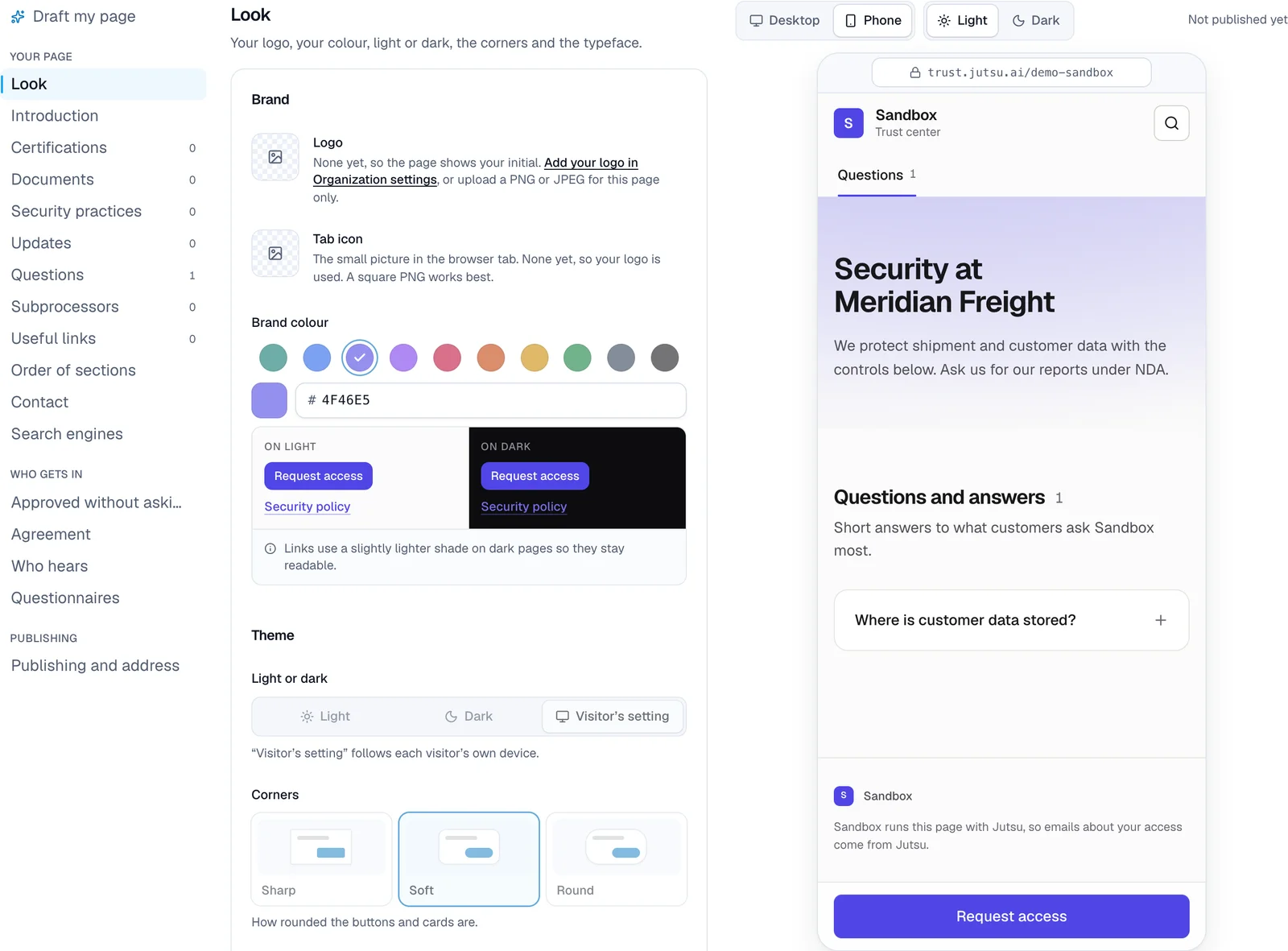
Draft my page. In the trust center settings, Jutsu drafts most of what a visitor reads: a tagline, the introduction, security practices and questions and answers written only from your completed controls and the policies in force, your brand colour taken from your logo, and contact links read from your own website. Each suggestion shows what it is based on. You edit the words, untick what you don't want and apply once. Nothing is saved or published until you do.
-
Trust settings as a page builder. A list of sections replaces the five settings tabs. The section you pick opens in the middle, with your real page beside it on desktop or phone, light or dark. Go to Compliance, Trust center, Settings.
-
Read an audit report. In a certification, Jutsu AI can read the audit report you upload and fill in the auditor, the scope and the dates, each shown with the words it was read from.
-
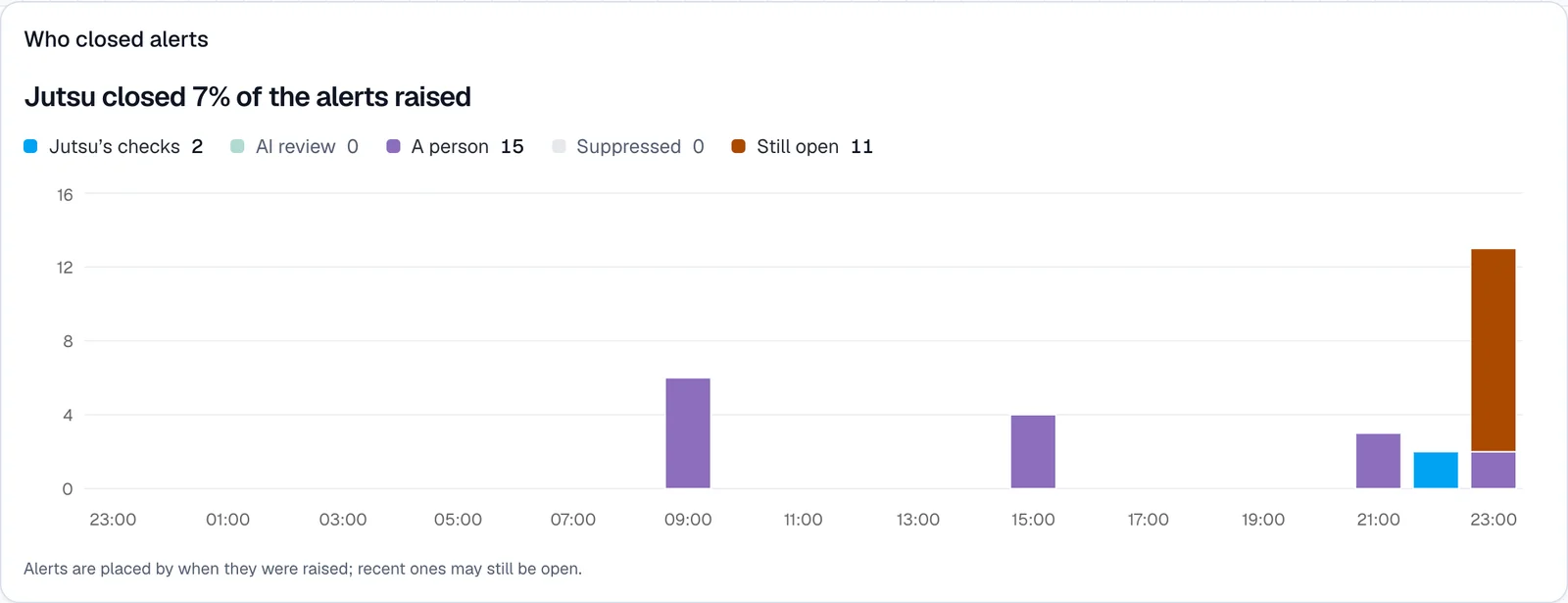
Who closed alerts. A new card on the dashboard splits the alerts raised in the chosen range into those closed by Jutsu's checks, by AI review, by a person, suppressed and still open, with the share Jutsu closed and the period before. The weekly and monthly SOC reports get the same table.
-
Alerts for stalled connections. When a connection has failed for 6 hours for a reason you can fix, such as a rejected credential, an expired authorization or missing access, your admins get an email, and a reminder every 24 hours until it collects again. When the cause is on Jutsu's side or unclear, Jutsu's own team gets the email instead.
Improved
- Trust pages live at trust.jutsu.ai. Your public trust page, the links in visitor emails and the address shown in the console now use trust.jutsu.ai. Old links forward to the new address.
- A redesigned trust console. The trust center Overview shows your page at phone width, a request opens in a side panel, access shows the time left in words, and one person's access has a history timeline.
- Faster automatic decisions on new alerts. Jutsu's first look at a new alert now reads only the events that alert covers, so Jutsu decides more of them on that first pass instead of waiting for a second check.
Fixed
- Railway connections: when a token refresh fails because of Jutsu's side, the connection's details now say so and that reconnecting will not help, and Jutsu no longer treats it as a problem with your Railway credential.