New
-
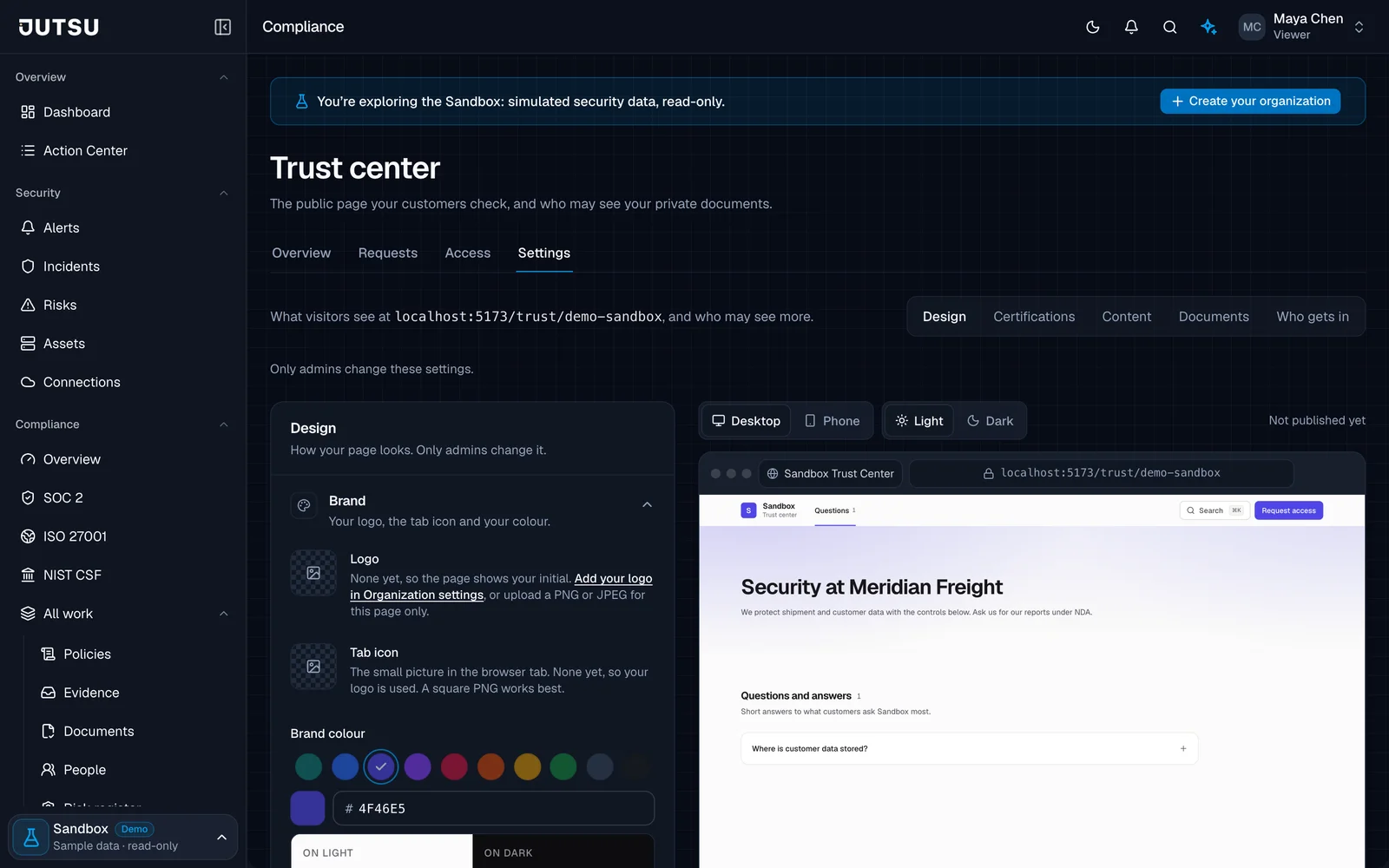
A rebuilt Trust center. Your public trust page is redrawn, with a header that has a tab for each section, your certifications at a glance at the top, grouped documents, and search across the page. Set it up under Compliance, Trust center.
-
Certificate status. Each certificate shows as Active, Audit in progress, In progress or Expired, with its report type, auditor, dates and what it covers. You can add certificates you hold outside Jutsu. An expired certificate stays on the page marked Expired, and admins get a notice 30 days before it expires and on the day.
-
A design editor for the trust page. Set your brand colour, light or dark, the typeface, corners and the hero background, then reorder, rename or hide sections, add text sections of your own, contact links and search-engine settings. The editor shows the real page beside the controls.
-
New trust page sections. Security practices (which can be linked to a control and stay off the page until that control is complete), an updates feed, public documents, and a way for visitors to name the documents they are asking for.
-
A risk trend chart. The Risks page shows the risks open at the end of each day, week or month by severity, with that period's resolved risks and whether it got better or worse. Click a bar to list the risks that opened or were resolved in it, and narrow the chart and list to one connection type. It replaces the connection-type card.
-
Named AI agent connections. In Organization, MCP, you can name each AI agent connection, open what it did in the audit log, and disconnect every connection at once. Risk history, incident comments and the alert page now read "Alice via Security agent" when an agent acted for a person.
Improved
- AI agents ask a person before closing things. When an AI agent tries to resolve or close an alert, or mark a risk fixed, nothing changes: the request is listed on the alert page for a person to act on.
- AI agents stay connected through retries. A token refresh retried within a minute, or two refreshes at once, no longer disconnects the agent, and an agent's incident comment retried with the same key posts once.
- AI agent changes check what the agent last read. The tools that change a risk or an alert's status now require the state the agent last read (
expected_state,expected_status) and answer with the current state if someone changed it first. A call without it is refused.
Fixed
- An alert opened as an incident automatically gets one case and one incident number, even when two requests race.
- Automatic closing no longer closes a case that someone assigned, or whose alert reopened, a moment before.
- When incidents are merged, the merged-away incident keeps its number, assignee and acknowledgement.
- Pushing an incident to Jira no longer creates a second ticket when the first attempt timed out.
- Security fixes in AI agent access.