Wazuh alert triage, handled by AI agents

Keep Wazuh as your detection layer. Jutsu takes its alerts as they fire, enriches and classifies each one, groups related alerts into incidents, and runs or recommends the response.

Start free
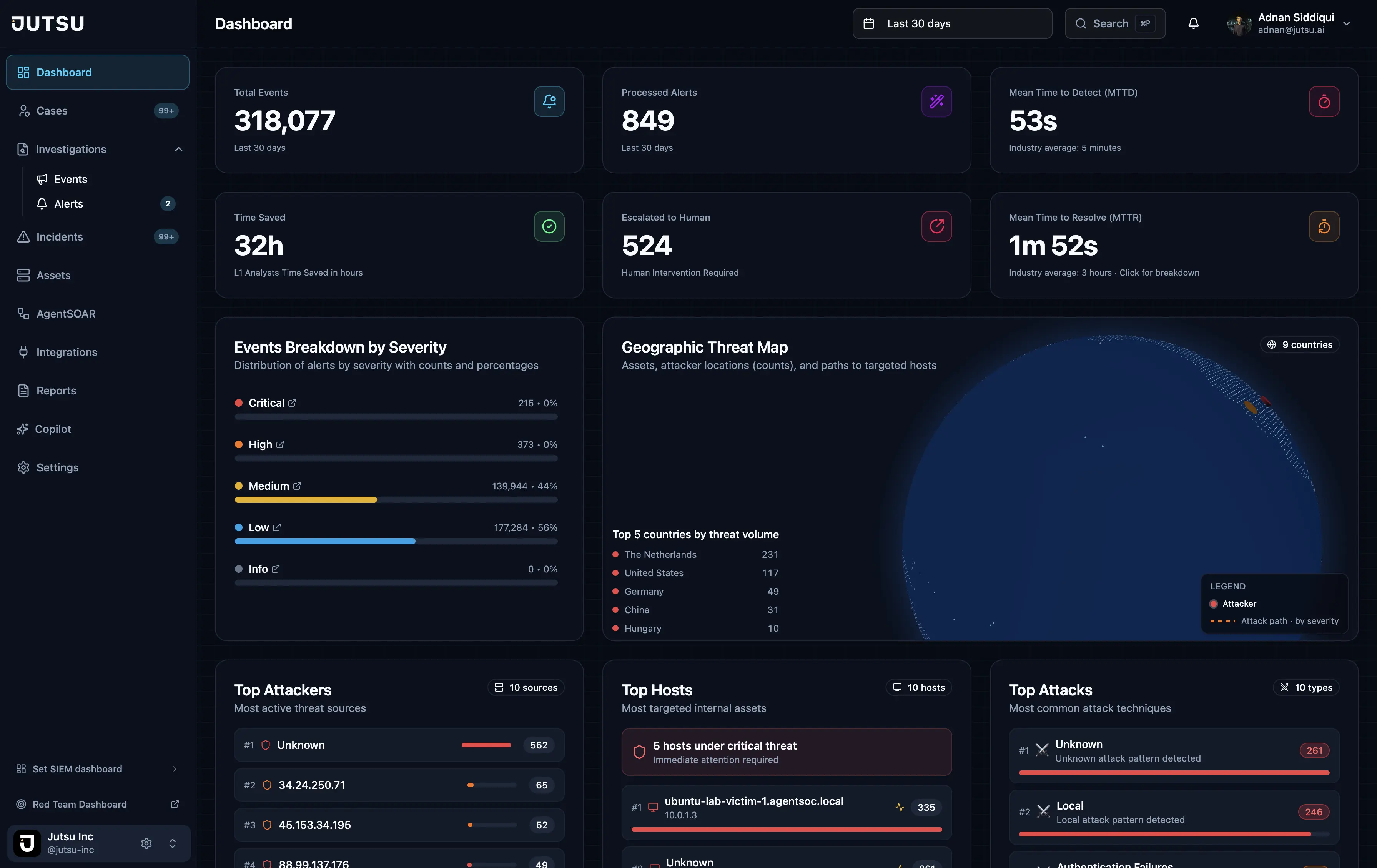
Jutsu dashboard
Jutsu · SOC overview
  • Keep WazuhNo rip-and-replace. Wazuh stays your detection and log layer.
  • Real-time ingestWazuh alerts arrive in Jutsu as they fire.
  • Triaged and correlatedSeverity, verdict, and threat-intel context, with alerts grouped into incidents.
  • Proven detectionsRed Team and Firehose test that your Wazuh rules actually fire.

Why Wazuh teams add an AI SOC

Wazuh detects. Someone still has to triage.

Wazuh is an open-source security monitoring platform. It raises alerts from host monitoring, file-integrity checks, and threat-detection rules. Those alerts are only as useful as the triage behind them: someone has to decide which ones are real, which are related, and what to do about them.

On a small team, that someone can be the same engineer who runs the Wazuh manager. Jutsu adds the SOC layer on top of Wazuh: triage, enrichment, correlation, response, and reporting. Your detection setup stays as it is.

How the Wazuh connection works

A native forwarder runs on your Wazuh manager and posts alerts to the Jutsu Ingest API. From there, Wazuh alerts follow the same pipeline as every other source in Jutsu.

  • Normalize: Wazuh alerts are mapped into the Jutsu alert model.
  • Triage: each alert gets a category, severity, risk score, and verdict.
  • Enrich: indicators are checked against VirusTotal, AbuseIPDB, AlienVault OTX, GreyNoise, MalwareBazaar, Kaspersky OpenTIP, MISP, CISA KEV, and IP-API geolocation.
  • Correlate: related alerts become incidents, including attack chains across hosts.
  • Respond: high-severity detections can trigger AgentSOAR playbooks or your own Shuffle workflows.

Prove your Wazuh detections work

Triage can only work on alerts Wazuh actually raises. Two other Jutsu products are built to test that. Red Team runs MITRE ATT&CK-mapped attack scenarios against authorized targets and scores which of your Wazuh detections fired. Firehose sends high-volume synthetic attack traffic to a Wazuh manager over TCP syslog and reports mean time to detect at p50, p95, and p99, so you know your pipeline holds up under load.

Three steps, end to end

  1. Install the forwarder

    Run the Jutsu forwarder on your Wazuh manager to stream alerts to the Ingest API.

  2. Agents triage each alert

    Wazuh alerts are classified, enriched with threat intelligence, and correlated into incidents.

  3. Respond or escalate

    Confirmed threats run through response playbooks. Uncertain ones go to an analyst.

What Jutsu adds on top of Wazuh

  • Real-time Wazuh ingest

    Wazuh alerts arrive in Jutsu as they fire and become cases you can work.

  • AI triage verdicts

    Category, severity, risk score, and verdict for every Wazuh alert.

  • Threat-intel enrichment

    Indicators from Wazuh checked against reputation and threat feeds.

  • Incident correlation

    Related Wazuh alerts grouped into incidents and multi-hop attack chains.

  • Response playbooks

    High-severity detections can trigger AgentSOAR or Shuffle, with approvals.

  • Detection validation

    Red Team and Firehose show what your Wazuh rules catch, and how fast.

Common questions

Do I have to replace Wazuh?

No. Wazuh stays your detection and log layer. Jutsu adds triage, enrichment, correlation, response, and reporting on top of the alerts Wazuh already produces.

How does Jutsu receive Wazuh alerts?

A native forwarder runs on the Wazuh manager and posts alerts to the Jutsu Ingest API, where they are normalized and triaged like every other source.

Can Jutsu respond to Wazuh detections?

Yes. High-severity detections can trigger AgentSOAR actions across AWS, GCP, Azure, Hostinger, Google Workspace, and Microsoft 365, or workflows on your own Shuffle instance. Response runs on analyst approval or within policies you set, depending on your plan.

Can I test whether my Wazuh rules fire?

Yes. Red Team runs MITRE ATT&CK-mapped scenarios against authorized targets and scores which detections fired. Firehose stress-tests a Wazuh manager with synthetic attack traffic and reports mean time to detect at p50, p95, and p99.

Can I start with a single Wazuh manager?

Yes. The Free plan costs $0 with no credit card. It covers 5 assets and 50 AI investigations a month, with limited AI triage. It includes one data source, which can be your Wazuh deployment.

Give your Wazuh alerts a SOC

Connect one Wazuh manager on the Free plan, or book a demo with our team.

Start free

Subscribe to our newsletter

Get the latest security tips, product updates, and news delivered to your inbox.