Solutions/AI alert triage

AI alert triage that sorts the queue before your analysts do.

AgentSOC gives each alert a category, severity, risk score, and verdict, enriches it with threat intelligence, and groups related alerts into incidents. Your analysts start from a ranked queue instead of a raw feed.

Category, severity, risk score, verdictThreat-intel enrichmentAnalyst escalation
Start free
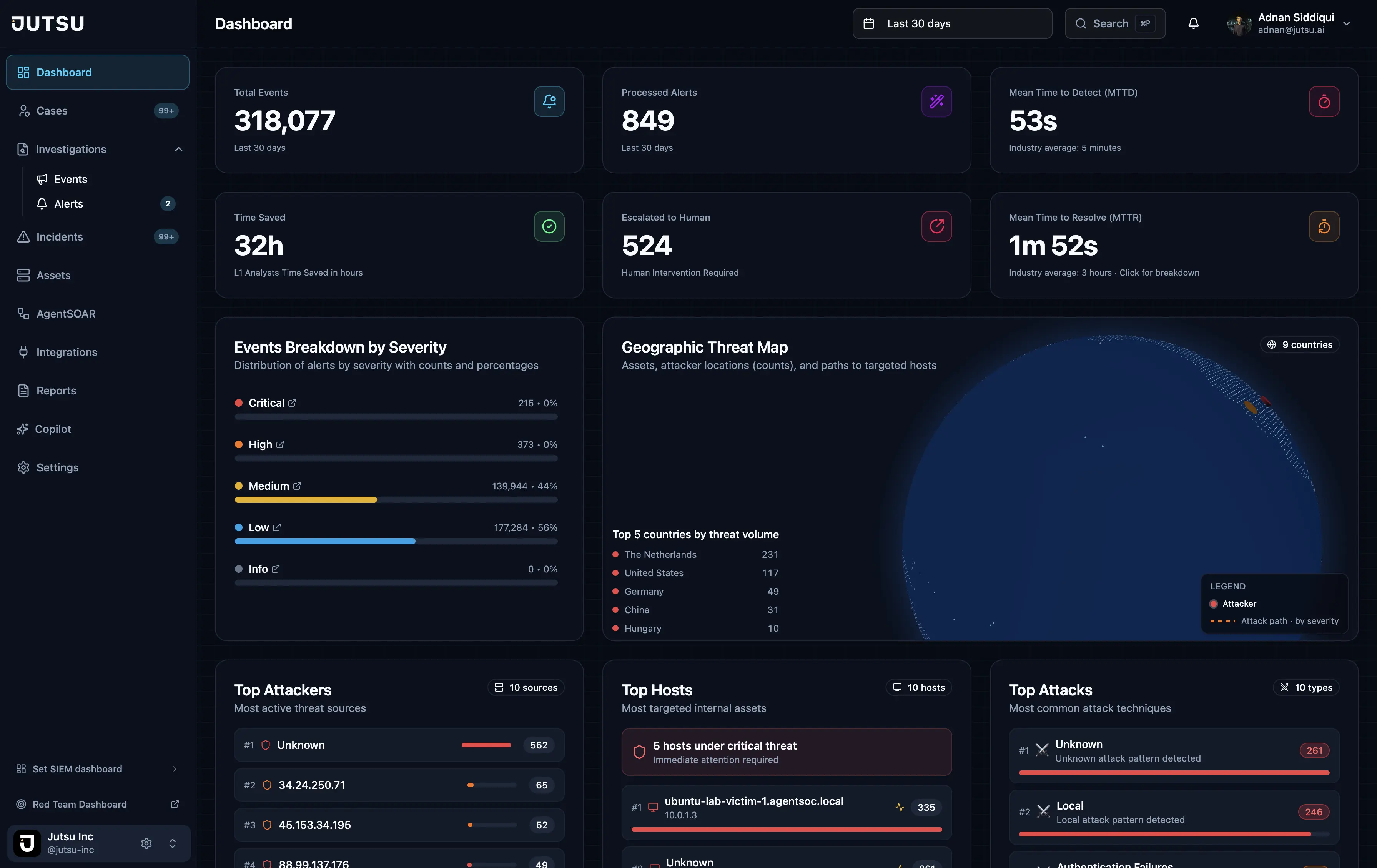
AgentSOC · SOC overview
AgentSOC dashboard
Every alert classified
Category, severity, risk score, and verdict, set before a person looks.
Context attached
Threat-intelligence, asset, user, and cloud context added to each alert.
Grouped into incidents
Related alerts merged, including multi-hop chains like lateral movement.
Unsure goes to a person
Uncertain alerts escalate to an analyst, with an audit trail.
Explainer

What is AI alert triage?

The first decision on every alert

Triage is the first decision a SOC makes about an alert: is it real, how serious is it, and who should handle it next. In many teams a tier-1 analyst makes that call by hand for every alert, which means opening several tools to gather context first.

AI alert triage gives that first pass to AI agents that work from the alert and its context. People spend their time on alerts that need judgment instead of on the ones that can be settled from data the platform already has.

How triage works in AgentSOC

In AgentSOC, triage is a stage in a continuous pipeline, not a separate tool. Alerts are normalized as they arrive and then classified, enriched, and correlated.

  • Classification: each alert gets a category, a severity, a risk score, and a verdict.
  • Enrichment: indicators are checked against VirusTotal, AbuseIPDB, AlienVault OTX, GreyNoise, MalwareBazaar, Kaspersky OpenTIP, MISP, CISA KEV, and IP-API geolocation.
  • Correlation: related alerts are grouped into incidents with their own severity and confidence.
  • Audit trail: analysts can filter, mark as seen, and escalate alerts, and each alert keeps its history.

What happens after the verdict

A verdict is only useful if something happens next. When triage confirms a threat, AgentSOC runs a response playbook through its built-in AgentSOAR engine, or through Shuffle if you run your own. When triage can't decide, the alert is escalated to an analyst, and an L2 or L3 investigation can continue as a case.

Notifications go out by email, Slack, Telegram, or PagerDuty, with severity-based SLA targets. The Security Copilot answers plain-language questions about your alerts, incidents, cases, and enrichment data.

How it works

Three steps, end to end.

1

Ingest

Alerts stream in from Wazuh, Google Workspace, syslog, or the Ingest API.

2

Classify and enrich

Each alert gets a category, severity, risk score, and verdict, with threat intelligence attached.

3

Correlate and route

Related alerts become incidents. Confirmed threats go to response, uncertain ones to an analyst.

Capabilities

What AI triage gives your analysts.

Severity and category

Each alert sorted by what it is and how much it matters.

Risk score and verdict

A clear call on each alert, so the queue can be ranked.

Threat-intel enrichment

Reputation and context from the built-in intel sources, added automatically.

Incident correlation

Related alerts grouped into incidents and multi-hop attack chains.

Analyst escalation

Uncertain alerts escalated, with an alert audit trail and investigation cases.

Security Copilot

Ask in plain language about alerts, incidents, cases, and enrichment data.

FAQ

Common questions.

Put AI triage on your alert queue.

Start free with one data source, or book a demo to see triage in action.

Start free

Subscribe to our newsletter

Get the latest security tips, product updates, and news delivered to your inbox.