
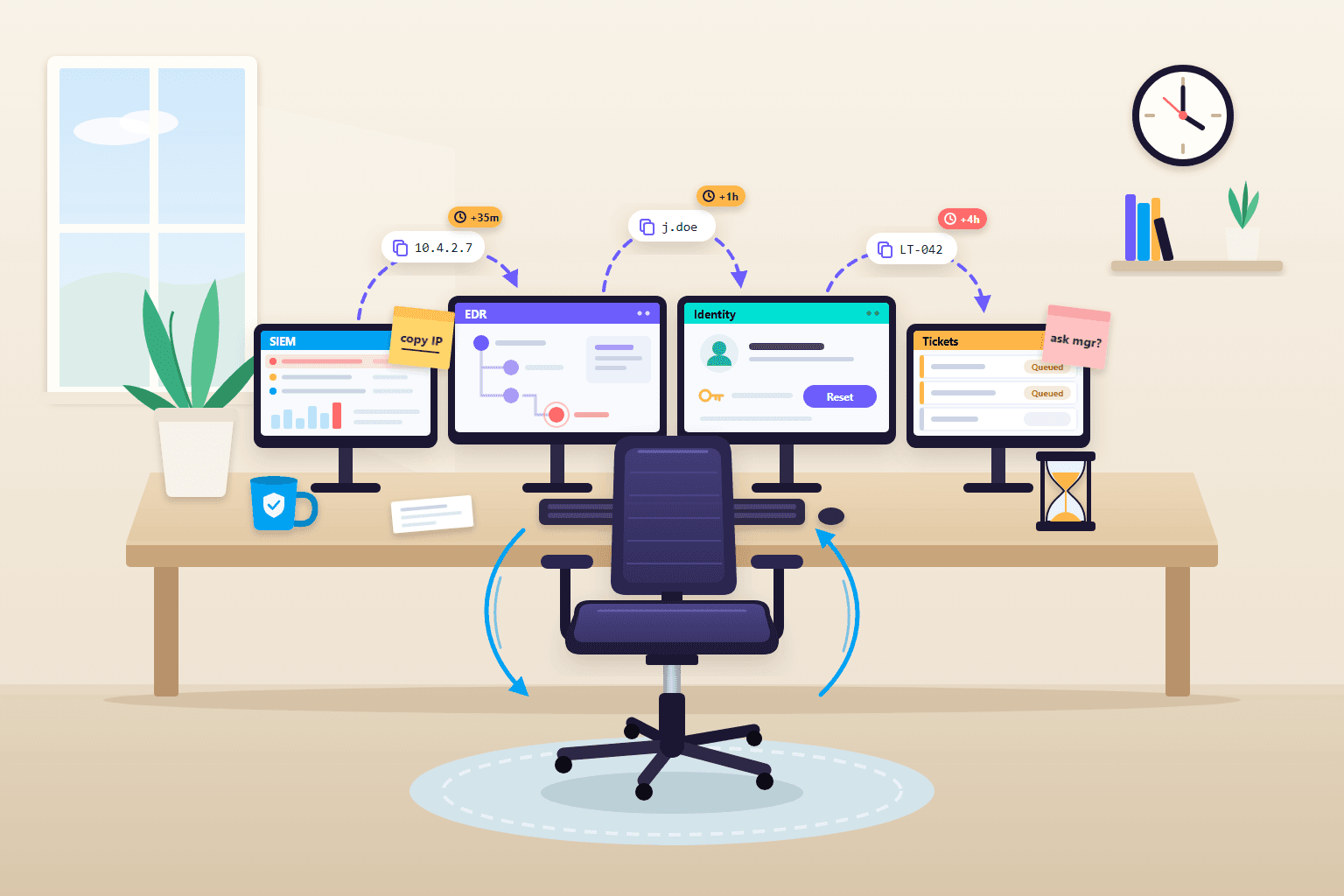
In many security operations centers, the biggest risk is not a missing tool. It is the handoff: the time an alert spends waiting between the SIEM, the EDR console, the identity provider, and a ticket queue while someone copies data from one screen to the next. Attackers move in minutes, so a response that stalls at every handoff can lose even when each tool works exactly as designed.
What the work between tools looks like
Ask an analyst about their last real investigation. They paste an IP address from the SIEM into a threat intel site. They look up which laptop belongs to the user, because the EDR is organized by hostname and the SIEM by username. They open a ticket for the identity team, then post in a chat channel asking a manager to approve a password reset. Each step is small. Together they are the investigation.
This is the swivel chair SOC: people acting as the connectors between systems that do not share data or state. The handoffs take a few recurring forms:
- Copy and paste pivots. Indicators, usernames, and hostnames retyped from one console into another, with typos and truncation along the way.
- Queue time. Escalations that sit unassigned because the next owner works a different shift or watches a different queue.
- Lost context. Tier 1 notes sit in the SIEM case, endpoint findings in the EDR, cloud logs somewhere else. The next person rebuilds the story.
- Informal approvals. Containment decisions made in chat threads that nobody can find during the post-incident review.
The Hacker News ran a contributed piece on this theme in June 2026. Here we focus on measuring and fixing it in your own SOC.
Why SOC tool sprawl turns handoffs into risk
In Vectra AI’s 2026 survey of 1,450 security practitioners, 69% of organizations used more than 10 detection and response tools, and 39% used more than 20. The same research put the average at 2,992 alerts a day, with 63% going unaddressed.
Disconnected tools make each of those alerts more expensive to work. In Splunk’s State of Security 2025 research, 78% of 2,058 security leaders said their tools were dispersed and disconnected, and 57% said they lose valuable investigation time to data management gaps. The 2026 SANS SOC Survey sums up the frontline view in one line: “too many uncorrelated alerts, too many unintegrated tools, not enough context.”
Meanwhile, the attacker’s clock is shorter than most handoff chains. CrowdStrike’s 2026 Global Threat Report measured an average eCrime breakout time of 29 minutes, with the fastest at 27 seconds. Breakout time is how long an intruder needs to move from the first compromised host to others. An escalation that waits 40 minutes for the next shift has already lost that race.
Slow response also shows up in cost. IBM’s 2026 Cost of a Data Breach research found that the mean time to identify and contain a breach rose to 247 days, and breaches that ran past 200 days cost about a third more than those closed sooner. IBM also reports that organizations using security AI and automation extensively saved $1.93 million compared with those using none.
One alert, four tools: a walk-through
Here is an illustrative case, not a real incident, that shows where the time goes.
- SIEM, 02:10. A rule fires on a sign-in to a finance user’s account from a country the user has never logged in from, followed by a new mailbox forwarding rule. The alert lands in a shared queue. The overnight analyst, busy with another case, opens it at 02:45.
- Identity provider, 02:50. The analyst copies the username into the identity console, sees the sign-in passed MFA through a push approval, and finds two more sessions from the same IP range. They paste the IP into two reputation sites. About ten minutes of real work.
- EDR, 03:05. To check the user’s laptop, the analyst needs its hostname. The SIEM record does not include it, so they search the asset inventory, find two candidate machines, and check both. One shows an unusual scheduled task. Another fifteen minutes of work.
- Ticketing and chat, 03:25. The analyst has no rights to disable accounts, so they open a ticket for the identity team and post in the on-call channel asking to isolate the laptop. A manager approves the isolation in chat at 04:05. The identity ticket is picked up at 06:30, when the day shift arrives.
Elapsed time from alert to disabled account: more than four hours. Hands-on work: well under an hour. The rest was waiting, while the attacker kept a live session and a forwarding rule copying mail out. The approval lives only in a chat thread, and the timeline must be rebuilt by hand from four systems.
How to find the gaps in your own SOC
You do not need a new product to measure this. Pick five to ten recent incidents of different types and rebuild each one as a timeline.
- Map every hop. List every system someone touched and every change of owner, in order. Include chat and email; approvals often happen there.
- Split wait time from work time. For each step, record when it became ready and when someone started on it. Divide total hands-on time by total elapsed time. A low ratio tells you the delay comes from handoffs, not from slow analysts.
- Count manual pivots. Every indicator copied from one console into another is a candidate for automation.
- Find the identifier breaks. Note where one tool speaks in usernames and the next in hostnames or IPs, and a person had to translate.
- List who can act. Write down which containment actions the on-shift analyst can take directly and which need another team. Each dependency is a potential overnight queue.
Expect a few repeat offenders: a lookup done in every case, an approval that waits for business hours, two tools that never share identifiers.
How to close the gaps
Put the data in one place, in one shape
Security tool integration starts with data, not dashboards. Normalize events so user, host, IP, and cloud resource fields mean the same thing across sources, and keep an asset and identity inventory the pipeline can join against. NIST SP 800-61r3 recommends integrating threat intelligence and context such as asset inventories into event analysis, and using correlation tools such as SIEM and SOAR to pull related data from multiple sources. Consolidation helps too: in Enterprise Strategy Group research, 55% of respondents reported positive results from consolidating security operations tools.
Automate the handoff itself
Start with the steps from your timelines that are identical every time: enrichment lookups, asset resolution, ticket creation, and notifying the right owner. The same NIST guidance suggests automatically creating and assigning tickets for certain alert types. SOAR playbooks handle fixed sequences like these well. AI agents help with the variable part: choosing which evidence to pull for an alert nobody wrote a playbook for, and summarizing it so the next person does not start from zero. Our AI SOC vs SOAR comparison covers where each fits.
Keep approvals, but move them into the workflow
Getting approvals out of chat does not mean removing them. Tier actions by blast radius. Enrichment and ticketing run automatically. Reversible containment, such as blocking an IP, can run on clear verdicts. Disabling an executive’s account waits for a named approver inside the workflow, where the decision is recorded. OWASP’s guidance on excessive agency in AI systems recommends minimal permissions and human approval for high-impact actions, and NIST SP 800-61r3 advises letting incident handlers choose containment actions manually instead of, or in addition to, automated ones.
Metrics that show whether handoffs are shrinking
| Metric | What it shows |
|---|---|
| Queue time per handoff | Where incidents stall between owners |
| Work time divided by elapsed time | Whether delay comes from handoffs or from the work itself |
| Manual pivots per incident | How much copy and paste remains |
| Approval latency | How long containment waits for a decision |
| Time to first containment action | How your response compares with attacker breakout time |
| Share of alerts enriched before human review | How much context arrives with the alert |
Track these per incident type and fix the worst handoff each month. They show where response time actually goes.
This is the problem Jutsu built AgentSOC to address. It streams alerts from sources such as Wazuh, Google Workspace, and syslog into one pipeline, where AI agents enrich them with threat intelligence, triage them, and correlate related alerts into incidents. Response playbooks run through the built-in AgentSOAR engine or Shuffle to block IPs, isolate hosts, or disable users, with revert. Uncertain cases escalate to analysts, and every step is logged. The integrations page lists supported sources.